
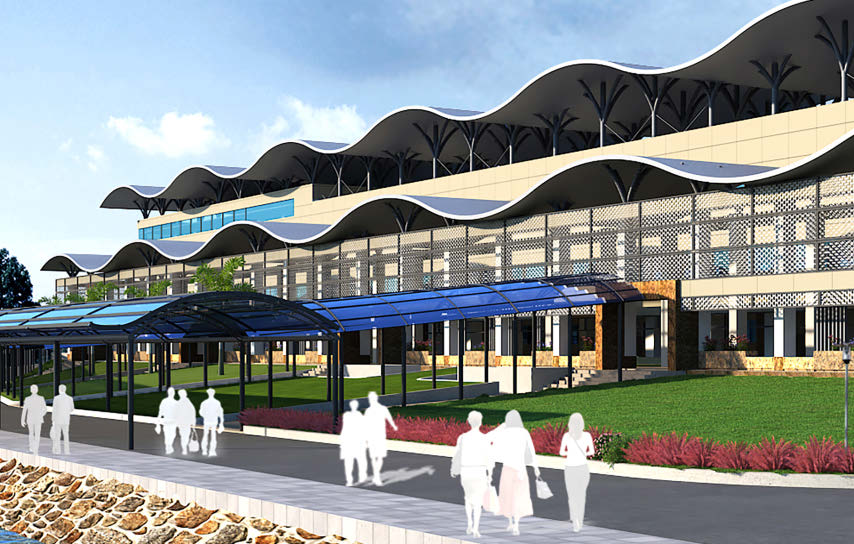
 Bangladesh Regional Waterway Transport Project 1 – Shasanghat (New Dhaka) IWT Terminal
Voyants Solutions Private Limited | Dhaka-Shasanghat, Narayanganj, Chandpur, and Barisal; Bangladesh
While Bangladesh has seen growth in passenger transport, its inland waterway transportation (IWT) system needed improvements to efficiently transport 157 million passengers annually and reduce traffic bottlenecks.
The organization also wanted to improve its infrastructure to meet international standards. Therefore, Voyants Solutions was tasked with developing four major IWT terminals to provide a low-cost, environmentally friendly transportation system. The project scope included traffic assessments for the next 20 years, feasibility studies, design, and construction management. With the major terminals incorporating both land and sea elements planned for cities across the country, they needed to improve collaboration to achieve the client’s 30-day project completion goal.
Using ProjectWise, Voyants Solutions monitored topographic surveys, traffic surveys, and geotechnical analyses and transferred them into the design platform. OpenBuildings Designer and STAAD helped develop the architectural and structural design, with interoperability between the two applications facilitating the creation of a strong visual design that helped all collaborators understand the project scope. They completed the initial design formulation in about a week, leaving only 21 days for the detailed design. Using Bentley applications, they delivered the completed project in 18 days, three days ahead of schedule, with a team of eight people instead of the usual 15. The applications increased ROI by 50%. The 3D models used for design will be converted to 4D models to streamline and manage construction.
Playbook: OpenBuildings, ProjectWise, STAAD.
 Swatch Headquarters
Swatch Ltd (building owner), Shigeru Ban (architect), Itten+Brechbühl AG (local architect) | Biel, Bern, Switzerland
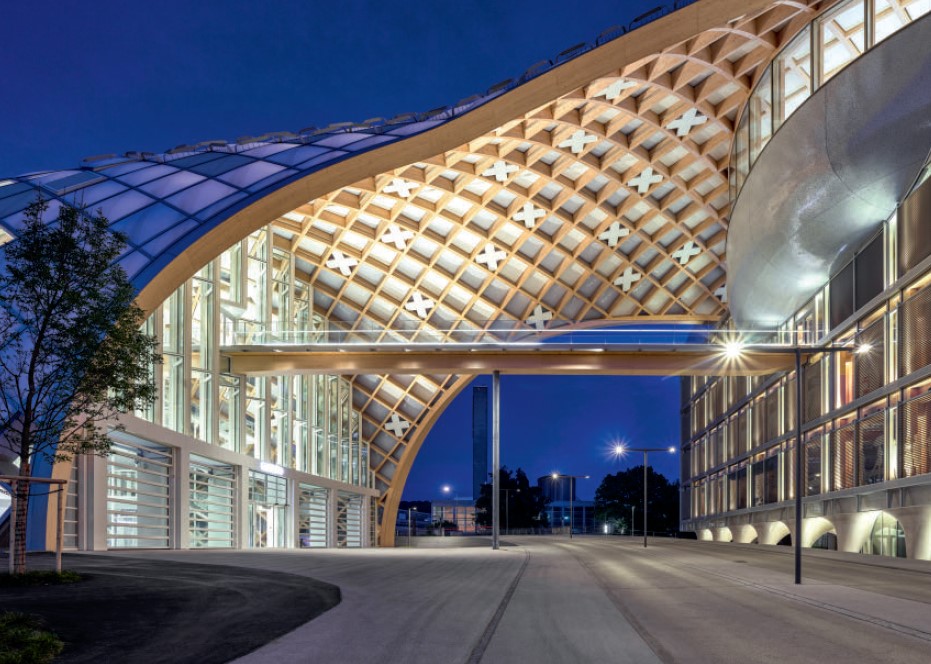
Swatch created its headquarters with a stellar design that reflects
the company’s innovation, while maintaining sustainability and meeting environmental requirements. They commissioned Itten+Brechbühl to oversee the overall construction and construction management of the complex office building. Numerous CAD applications were considered and tested during the project. Ultimately, the project was implemented within the budget and quality targets, enabling close collaboration with the architect.
Using MicroStation, the team was able to manage the coordination of the entire 3D façade design, which included 4,600 individual load-bearing timber elements and 2,800 individual façade elements in a 300-gigabyte file. Bentley software provided full compatibility with other CAD applications for easier coordination, which improved visualization, quality, and decision-making. They were also able to effectively design the proposed exterior shell of wood, glass, and air cushions. The low-energy building will reduce Swatch’s carbon footprint.
Playbook: MicroStation, OpenBuildings
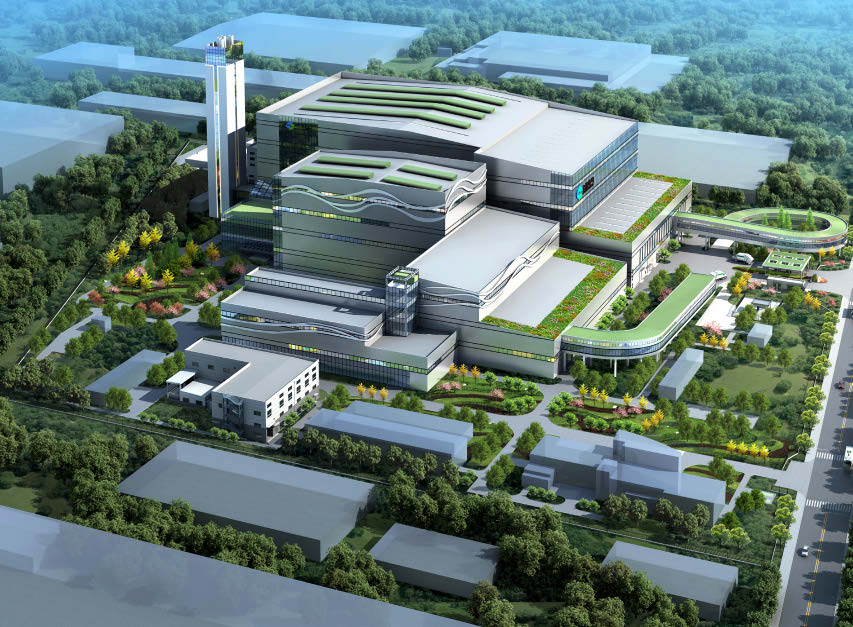 Shanghai Electric Environmental Protection Group Technology Renovation and Expansion Project for Nantong Thermoelectric Waste Incineration
Shanghai Institute of Mechanical and Electrical Engineering Co., Ltd. | Nantong, Jiangsu, China
The Shanghai Institute of Mechanical and Electrical Engineering needed to build three new mechanical screen processing lines for waste incineration without interrupting plant processes. Because construction was to take place in the original facility, space was limited. Therefore, the layout of equipment, piping, and the overall structure needed to be compact and free of interference. However, traditional methods would have required on-site reworking of such a complicated project, so the Shanghai Institute of Mechanical and Electrical Engineering realized the need to adopt 3D BIM processes.
The team collaboratively designed the project with over 10 disciplines to reduce the size of the facility while improving its quality, using Bentley software.
The Shanghai Institute of Mechanical and Electrical Engineering saved CNY 2.4 million in labor and piping material costs by avoiding more than 600 clashes with OpenPlant Modeler. They implemented digital twin technology to improve management, facilitate information sharing, and save time and money.
Playbook: AssetWise, AutoPIPE, iModelHub, OpenBuildings, OpenPlant, ProSteel
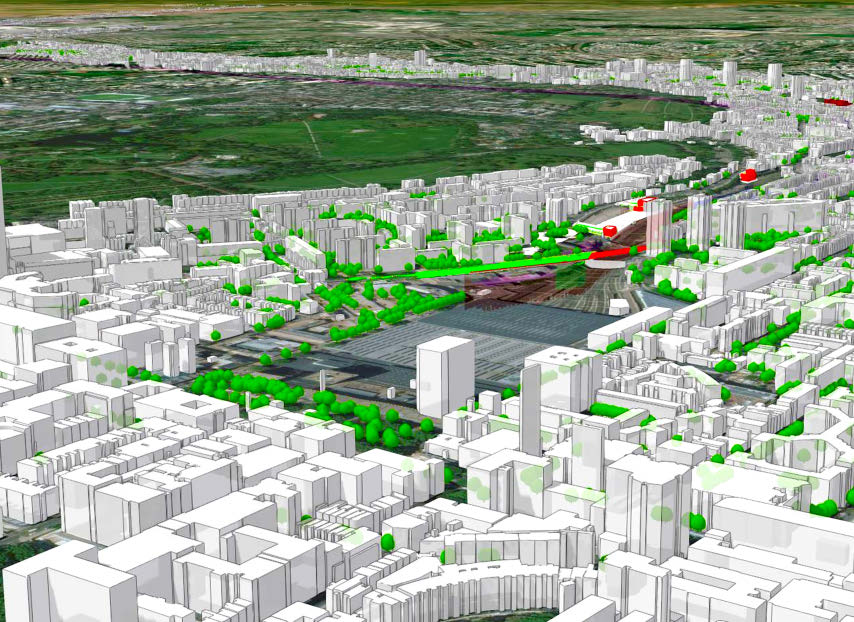
HS2 Main Works Civils Contract
Skanska-Costain-STRABAG Joint Venture | London, England, United Kingdom
High Speed 2 (HS2) is the UK’s £100 billion high-speed rail project. Skanska, Costain, and STRABAG JV (SCS) were tasked with providing civil elements, including tunnels, ventilation shafts, portals, and bridges, for the first 26 kilometers of the project. They realized that the complex design, combined with the amount of data and the multiple organizations and team members involved in this complex project, required comprehensive technology to integrate team members and automate and integrate the GIS and BIM domains.
Recognizing the interoperability issues involved, they chose OpenBuildings Designer for 3D model input, ProjectWise as a common platform for storing and extracting models for conversion to a 3D GIS format, and iModelHub to provide a first step in bridging the gap between these two domains. A digital twin automates and connects data from disparate sources to improve workflow efficiency up to eightfold and form the foundation for full-lifecycle asset operations and maintenance management using data from smart sensors and Internet of Things technology.
Playbook: iModelHub, OpenBuildings Designer, SINCRO 4D
CAD CONNECT
Blumenau, SC, Brasil
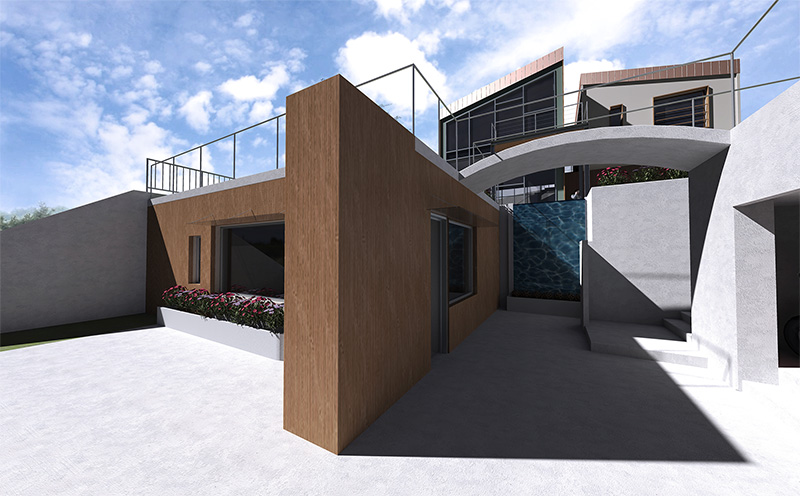
CAD Connect was tasked with designing a BRL 1.25 million residential building in Santa Catarina, Brazil. The site, however, presented numerous technical challenges due to steep slopes in multiple directions and dense vegetation. They wanted to use reality meshes to overcome the challenges, but for their initial reality meshes, they used other applications that proved to be unreliable. CAD Connect realized that more powerful applications were needed to succeed.
CAD Connect turned to OpenBuildings to position the building model using precise geographic coordinates. Using the application allowed them to complete modeling reviews to the highest standards, as well as produce high-quality static renderings. With the project complete, they significantly limited earthmoving operations and preserved as much of the land as possible. CAD Connect avoided surprise construction costs and saved the client BRL 39,000 in containment costs and BRL 30,000 in earthmoving costs.
Playbook: ContextCapture, OpenBuildings