
Category/PLANNING
SYNCHRO 4D is the industry-leading modeling solution that enables teams to transform project models into construction models with cutting-edge QTO, model-based planning, and construction simulations. Teams can plan, optimize, and track projects in a single visual environment, as well as identify issues and what-if scenarios early. The immersive 4D environment allows teams to reduce project risks and delays and avoid costly rework.
Cad Connect is a SYNCHRO 4D reseller.
To all professionals involved in managing project implementation times and costs
All sectors dedicated to the construction of a large artifact, buildings, infrastructure, large naval vessels.

SYNCHRO ranks among the 2022 Best Products in the “Project Management, Collaboration and Scheduling” category for Construction Executive.
SYNCHRO 4D within the Bentley Cloud Environment for Infrastructure
The Bentley Infrastructure Cloud consists of two platforms, ProjectWise and SYNCHRO, which are essential and sufficient to manage the entire project lifecycle.
Once the contractor and team have been chosen to begin the actual construction of the physical project, this is where SYNCHRO 4D comes in with the integration made by Bentley on the ProjectWise CDE.
What does SYNCHRO currently consist of?
In the solution we have SYNCHRO 4D and SYNCHRO Modeler.
These are desktop applications, which run on workstations and allow you to plan the project in 3D,
creating a visualization for greater project understanding. But beyond this, Bentley has included a cloud-based environment called SYNCHRO Control.
Essentially, it’s a website that you can access based on your role on the team, allowing you to manage the planning done with Synchro 4D via a browser. With this option, a field engineer or inspector can access the planning and model to know exactly what to start building.
You can also update your schedule and template and share this information with the rest of your team.
From SYNCHRO Control, we move to SYNCHRO Field.
It’s essentially a mobile app that can be downloaded to an iPad or Android device and offers an extension of SYNCHRO Control and SYNCHRO 4D, allowing you to work offline,
in the field, but with all the features and the ability to communicate bidirectionally with SYNCHRO 4D.
So if you need to update your planning or model on progress, this can be done in the field, and from the field, in real time.
Synchro 4D – The Desktop Application
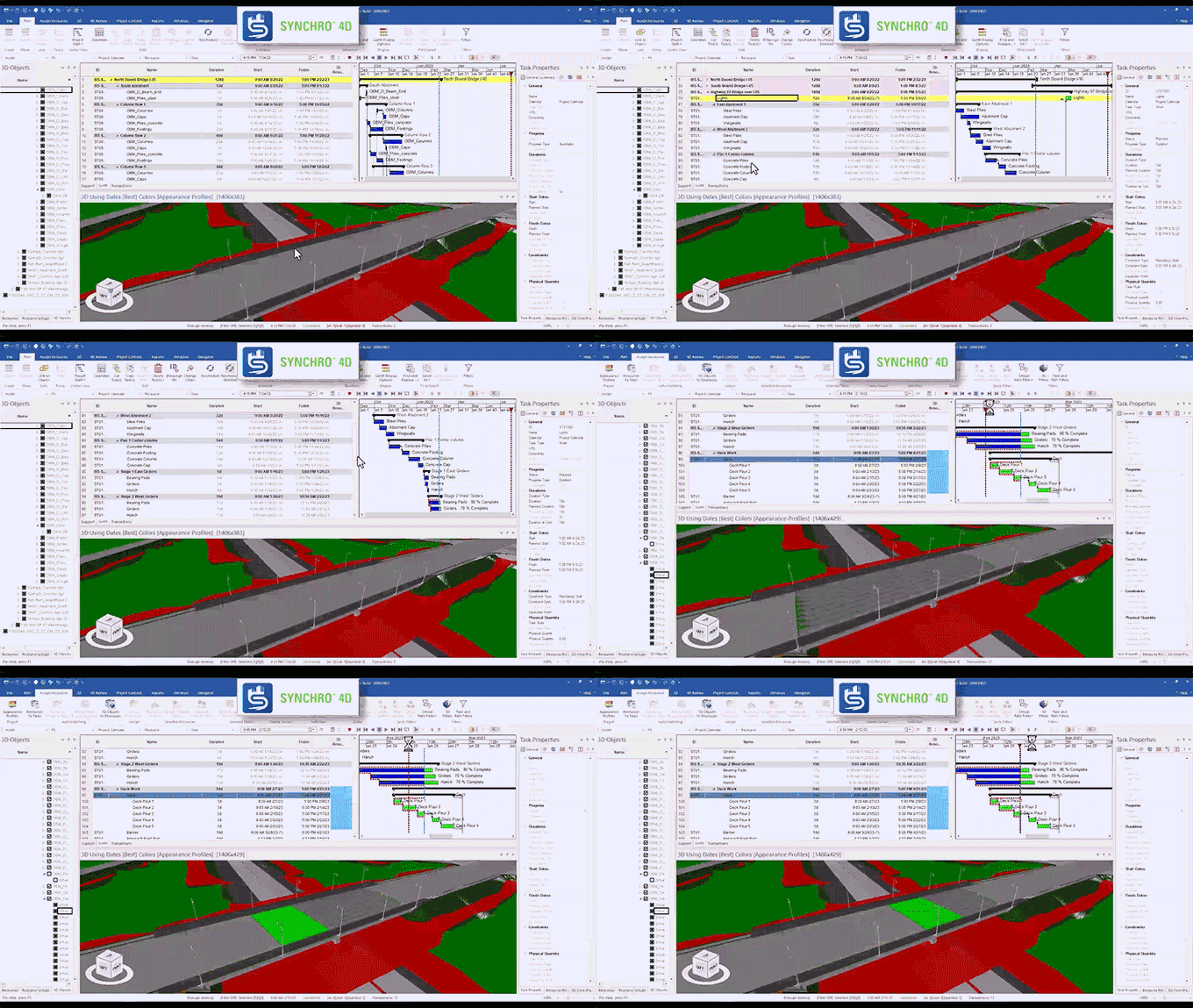
In this video, if you’re familiar with SYNCHRO 4D, you’ll recognize the application open and in action.
This is where we can connect planning activities to the actual 3D element, creating appearance profiles, resources, and costs. We also have access to and insight into an earned value graph. This allows us to see when funds arrive and when work is completed—all important aspects of a construction project.
With the different appearance profiles, we can color-code and create different animations of how the project is being carried out, for example, brown for earthworks, green for vegetation, blue for concrete, bridge beams. SYNCHRO 4D is the place where all construction is planned. We can work on an entire project or focus on something more specific, for example within a certain timeframe. This interactivity helps us analyze the project in a way that is otherwise impossible with a set of 2D floor plans and a PDF Gantt chart.
Synchro 4D-Scenari e baseline
Another key feature of SYNCHRO 4D is the ability to compare proposed schedules with actual ones. We can therefore upload a basic schedule, called a baseline, and update the schedule, perhaps on a monthly basis, so we can safely compare and contrast different scenarios.
To assess potential conflicts or improvements, such as resources becoming unavailable or redundant, or any delays that could result in a lengthened schedule.
In essence, we can gain a better understanding of the same project based on different data.
All this technology is applicable to any type of project, not only buildings or infrastructure projects but also systems, as shown in the video, where construction details are even more important.
Synchro 4D – Resource Management
Naturally, a construction project requires clear visibility of resource status and updates.
So we need to be able to select planning activities or set resources, such as completed work, a started or failed inspection, or perhaps the procurement of materials.
We can monitor the resource inventory to see when different materials arrive, for example, for a building.
For example, a project manager might want to know which materials are on site and which have been delivered. Identifying where different materials have been delayed can help them devise a different logistics organization.
This can be done through a visual representation, not just a graph of the resulting gap.
The planner might need to obtain what the project team produces with daily reports, perhaps an entire month of daily reports,
and see in detail when the work was started and completed.
In the construction industry, it is difficult to analyze accumulated delays with paper reports and it becomes almost impossible to recover lost time.
SYNCHRO Field permette di ottenere queste informazioni in tempo reale, aggiornando la pianificazione sul campo e inviando queste informazioni ai pianificatori per risparmiare tempo e assicurare il progresso del progetto.
Synchro Modeler
SYNCHRO Modeler, the desktop application included with SYNCHRO, can take that design plan or model and begin breaking it down to match the actual construction activity.
A valuable aid with quantity takeoffs.
This video examines a section of road.
What we can do is divide this model into different work areas, based on design standards, construction standards, or the project location itself.
We can group different work areas and start dividing the project.
Let’s say we need to divide a retaining wall by height, because that’s how the contract has set up the payments.
For example, sometimes you pay a certain price for a wall that goes from 0 to 1 or 2 meters, and then anything beyond that measurement might have a different price.
With SYNCHRO Modeler we can start breaking these items down and assigning cost codes.
The same approach applies to the bridge.
Bridge designers generally don’t have to worry much about the construction sequence. But a contractor can identify various methodologies for this phase.
Based on certain decisions, they must be able to separate costs, because perhaps one area takes a little longer due to crossing a body of water or a canal, and it’s known that resources need to be invested differently.
SYNCHRO Modeler helps us organize the project according to how we actually want to build it. By adding phases to the work, we can identify the amount of concrete needed and see how much it costs to operate certain quantities.
We will be able to add labor and equipment costs and use design data and metadata from the design team to benefit the construction team instead of having to search for certain project details through misaligned paper documentation.
Synchro Control
On SYNCHRO Control selecting an item will highlight the related scheduling activity.
We can quickly jump into that activity and explore all its information or choose data such as the start, end, or any constraints, maintaining an adequate visual representation.
Synchro Control – Collaborative Planning and Civil Tools
Bentley recently introduced civil tools into Control to enable advanced model analysis.
For example, a part of the abacus, or the model where you want to take a cross-section or a profile of the road.
These kinds of analyses would usually only be feasible if you have the design application.
But having them now integrated into the cloud environment, the construction team can use them at their discretion.
This way you can click on a 3D element and get its quantity, area, and so on.
Or even just see how much work has been done. When it started, etc.
Synchro Control – Collaborative Project Modeling
Planning collaboration is actually model collaboration, so technically it doesn’t need planning-based information.
If you are fairly up-to-date on what is happening in planning, but just want to isolate some information about the project, with SYCNHRO CONTROL you are now able to access this model and extract the data.
For example, suppose a utility subcontractor wants to know where the main pipe runs are located on this project.
In a project of a few kilometers perhaps.
If it’s his first day on the job, it will take him time to familiarize himself with the various processes and flows, even just to know where the information resides.
In SYNCHRO Control, we can generate queries on model classes and properties, which can then visually isolate drainage pipes based on size, type, material, indentation area, phase—essentially any filterable parameter.
You can go directly to a link, select it, and then, with the integrated tools, isolate only the useful information.
You can integrate a background map or reality model data, so you can get the exact location of a pipe crossing the road.
If some will have to be built in phases due to traffic for example.
The system provides all information within the properties, such as a pipe route, elevation, start station, end station and quantities.
Essentially, you’ll have all the data at your fingertips without having to navigate between 2-3 different applications or data sets. Returning to SYNCHRO Modeler, we can define whether that pipe should be split into two different runs and therefore separated into two different tasks.
We can send an RFI (request for information) or report a problem by indicating, for example, that in the middle of a stretch of highway the pipe, intended as a single entity, will have to be divided.
So, once again, we will have data available, in the cloud-based environment and as needed.
Synchro Control – Project Document Management
Synchro Control isn’t just a website for viewing the program and model; we can actively interact and assign problems.
Create RFIs (Request For Information), alerts, daily reports, and timelines for models and programs.
For example, if there’s a weather-related issue, you can open the map and see where heavy rain will affect your business.
Based on this, you can alert the customer by positioning the issue wherever necessary.
As you can see, here we can toggle weather conditions on and off, check wind speed, and, if necessary, re-enable satellite view to better see the location on the map. We can see exactly where the problems are arising. The weather problem then quickly becomes an RFI.
We can also enter it into a custom form, tracking all the necessary work in case it impacts the schedule. The planner will also be aware of this event and have the information to update the team in SYCNHRO 4D. We can also track activities and add comments.
We have a control route for all these communications.
We can send requests for issue review, assign issues to specific people, and track notifications, how much time remains in inboxes, or set alerts to notify you before they’re due.
We have dashboards to keep everything under control. By filling out forms, I can link issues to the project location and the position in the model.
Synchro Control – Project floor plan management
So far, we’ve seen strong 3D integration throughout the process, but SYNCHRO Control offers excellent functionality for users who aren’t yet ready for a full model and who primarily use 2D floor plans.
We can integrate floor plans and insert them into Synchro Control.
Adding the program provides a program without a model, but still works well.
The plans are digital, so paper will not be necessary, or at least not very much.
A printed sheet of paper hung on the construction site quickly becomes obsolete.
Here we can enter dates and revision numbers and publish them to all project users.
Synchro Control – Construction site photo and video management
We can also manage photos and videos. Photos taken and uploaded can be geotagged.
There are TAG functions to facilitate searches,
so if we’ve taken care of this aspect when uploading the photos,
the search functions will be particularly effective,
but the automatic TAG assignment thanks to the integrated AI comes in handy.
For example, by typing “tube,” SYNCHRO Control will display all photos with tubes.
As you can see this photo is connected to an RFI.
It indicates the photo’s origin, when it was taken and mapped. And when you take photos with the SYNCHRO Field app, they are automatically uploaded to the cloud project.
Anyone who has access to the project will be able to benefit from it.
Anyone who has access to the project will be able to benefit from it.
Let’s take a closer look at SYNCHRO Field. Its interface is quite similar to Control, but with some differences.
Here, we can open a report form, fill it out, add an attachment, and locate it in the project.
We have GPS to find your location.
We can open the model linked to the element in the app.
We also have access to the attached 2D floor plans. We can use both floor plans and models.
Direct access to floor plans is very useful to use in the field and with Field we can create a problem from the floor plans
Everything is customizable.
Synchro Field – Monitoring from the field
Synchro Control is not just a website to view the program and model, we can actively interact. Assign problems, create RFIs (Request For Information), notifications, daily reports, and timelines for models and programs.
If you have a weather-related issue, you can open the map and see where heavy rain will affect your business. This will allow you to alert your customer by pinning the issue wherever it’s needed.
We can turn weather conditions on and off, check wind speed, and, if necessary, re-enable satellite view to better understand the location on the map. We can see exactly where the problems are occurring. The weather problem then quickly becomes an RFI.
We can also enter it into a custom form, tracking all the necessary work in case it impacts the schedule. The planner will also be aware of this event and have the information to update the team in SYCNHRO 4D. We can also track activities and add comments.
We have a control route for all these communications.
We can send requests for issue review, assign issues to specific people, and track notifications, how much time remains in inboxes, or set alerts to notify you before they’re due.
We have dashboards to keep everything under control. By filling out forms, I can link issues to the project location and the position in the model.
Synchro Field-Civil features
As we showed previously, we have GPS overlay capabilities, which allow us to use measurement and quantification tools.
All tools are already integrated into the system, to evaluate the project quickly and safely.
Returning to the road profile lists, we can extract a different profile or section directly in the field.
We access all the data created during the design phase without using the civil application used for modeling
All you need is a tablet, or even a smartphone in extreme cases.
And if the model is set up and synchronized, we’ll get the information regardless of the device used.
In summary
To recap,
We can use any type of design application, even non-Bentley ones, such as Revit or Autodesk Civil 3D.
No problem.
We can import those files and create the model.
We copy them to the cloud, starting the process of creating a digital twin
and from there we can add real data, photos, drone footage, point clouds or even simple documentation from models such as RFIs, issues and floor plan sets,
All this data helps with workflows for auditing, document control, construction site management and costs.
This way we will have a single connector for all these roles and factors of the project.
In essence, we will have a perfect digital twin of the building
GRUPPO FERROVIE DELLO STATO ITALIANE
Engineering company of the Autostrade per l'Italia Group
First among the independent engineering & management companies in Italy
One of the main global players in the infrastructure and construction sector in Italy
Since 1974, a multidisciplinary firm composed of talented architects, designers, engineers and scientists.
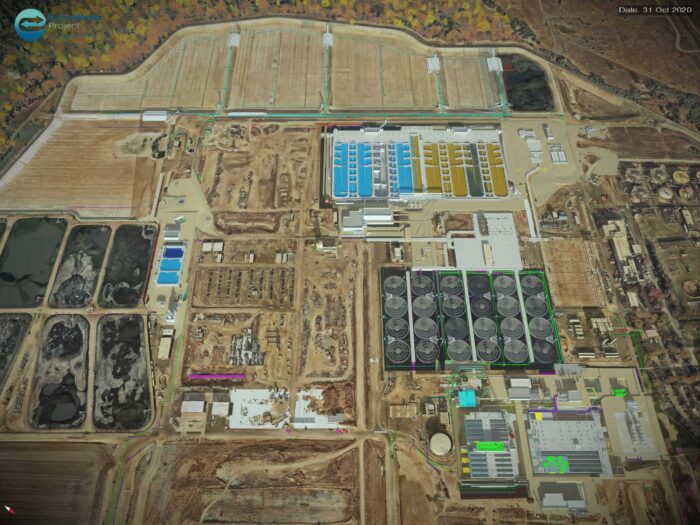
Wastewater treatment
Digital Twin Saves $400 Million in Recycled Water Reinvestment for California’s Agriculture Sector, Improving Groundwater Sustainability
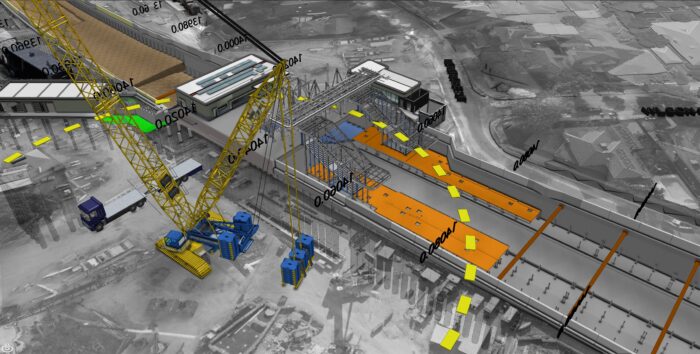
Roads and railways
Using the 4D model, the team was able to develop construction plans 71.5% faster than with 2D diagrams.
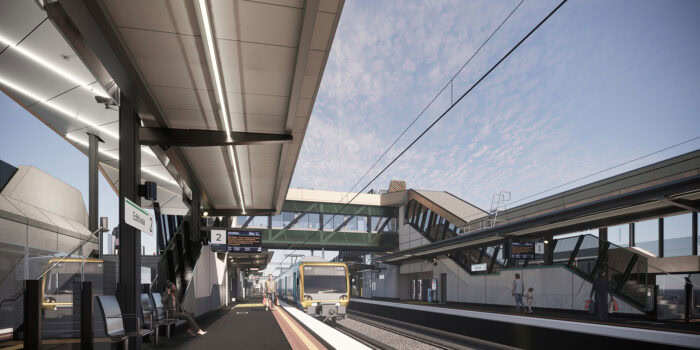
Melbourne Rail Infrastructure
SYNCHRO helps promote a digital-first approach to reduce job preparation times and ensure a safe working environment.
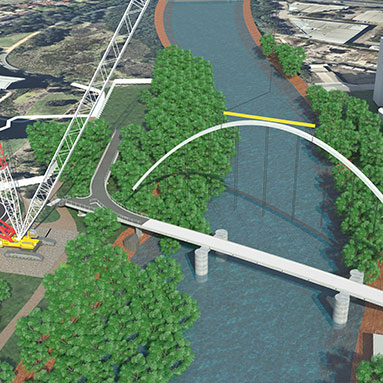
Australia's first diagonal arch bridge.
Solid Support uses SYNCHRO to create stunning animation and win tender for Australia’s first diagonal arch bridge.
Per richiedere una demo del programma si prega di compilare il modulo sottostante